
Overview
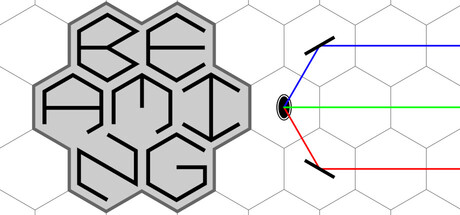
Beaming is a top-down 2D puzzle game built around a clean, single-minded idea: manipulate light beams across a hexagonal grid to satisfy each puzzle’s connection goals. Instead of relying on narrative or elaborate visuals, it leans into minimalist presentation and tight rule-based problem solving—making it a good fit for Mac players who enjoy pure logic puzzles.
How the Puzzles Work
Each level presents a self-contained objective (typically requiring you to create a specific number of valid connections), and you solve it by steering beams through a network of interactive tiles. The hex-grid layout matters: angles, adjacency, and routing choices feel different than standard square-grid laser puzzles, and the geometry adds variety to how you plan paths and anticipate reflections.
Tools and Interactions
Beams are manipulated by interacting with items placed on the grid. The game’s core toolbox includes:
- Reflectors to redirect beams
- Filters to modify beams as they pass through
- Portals to transport beams across the board
On top of that, you’ll use a set of actions to change the board state:
- Rotate items to alter beam direction
- Move pieces to new cells
- Toggle elements on/off or between modes
- Swap positions of components to reconfigure routes efficiently
Cell Attributes and Rule Twists
Not every grid cell behaves the same. Some cells carry attributes that change how interactions work on that tile—adding constraints, exceptions, or special behavior that forces you to rethink otherwise “standard” solutions. This is where Beaming’s puzzles often become less about brute-force experimentation and more about learning to read the board like a system.
Learning Curve and Presentation
Beaming aims to teach its rules by intuition. Rather than dumping a long tutorial upfront, it introduces mechanics gradually and then stacks them into increasingly involved puzzles. If you like games that trust you to infer rules through play, this approach will feel natural.
Visually, the presentation is intentionally minimal. For players who prefer more explicit explanations, there’s also a glossary covering items, actions, and attributes—useful when you want clarity without trial-and-error.
Puzzle Editor and Sharing
A standout feature is the built-in puzzle editor. If you’re the type who finishes a puzzle game and wishes it had “just a few more levels,” the editor is Beaming’s answer: you can build your own beam-routing challenges and share them with other players. For Mac puzzle fans, this can significantly extend the game’s lifespan beyond the included content.
Who It’s For
- Players who enjoy logic-first puzzle design and clean UI
- Fans of laser/beam routing puzzles looking for a hex-grid twist
- Creators who want to design and share levels with an in-game editor
Mac System Requirements
Minimum:
- OS: 12
- Processor: Apple Silicon or Intel
- Memory: 256 MB RAM
- Storage: 1 GB available space
Final Thoughts
Beaming is at its best when it’s introducing a new interaction and then asking you to combine it with everything you already know. The minimal presentation keeps attention on the puzzle logic, the hex grid adds distinctive spatial reasoning, and the editor makes it easy to keep the challenge going after you’ve mastered the main set of levels.





Comments
Sign in to join the conversation.
Log in to commentNo comments yet. Be the first to join the conversation.