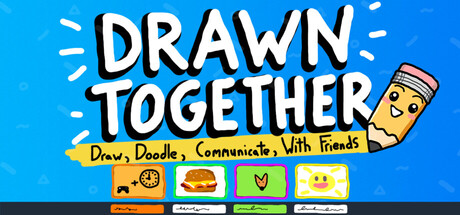

Drawn Together is less of a traditional “sit down and play” game and more of a tiny social space that lives right on your Mac desktop. It’s a multiplayer whiteboard that stays visible beside your normal windows, letting you and your friends draw, doodle, leave messages, and riff on improvised drawing games while you’re doing literally anything else—working, studying, watching videos, or gaming.
The core idea is simple and surprisingly sticky: your whiteboard is always there, and every mark updates in real time for everyone in your lobby to see. It’s the kind of lightweight, low-pressure hangout tool that can turn a quiet evening into a running stream of sketches, jokes, reminders, and chaos.
Always-on social drawing (without taking over your screen)
Unlike most multiplayer games that demand full focus, Drawn Together is designed to coexist with your everyday computer use. Keep it open while you:
- work
- study
- game
- watch streams
- listen to music
- or pretend to be productive
Because the board sits alongside your other windows, it naturally becomes a persistent “room” where friends can drift in, add something, react, and keep the vibe going—without needing everyone to commit to a full session.
Multiplayer lobbies up to 16 players
Drawn Together supports creating a lobby with up to 16 players. Everyone gets their own whiteboard view that updates live as people draw. This makes it perfect for friend groups, study circles, Discord communities, or even casual co-working sessions where you want a shared space for quick visuals and jokes.
There’s also a dedicated shared board that everyone can draw on together, which is exactly as chaotic (and fun) as it sounds—great for quick drawing challenges, collaborative murals, or rapid-fire doodle telephone.
Tools for quick doodles and “wait, that’s actually good” drawings
The toolset is built to support everything from messy napkin sketches to more deliberate pieces. You’ll find:
- multiple brush styles
- a full rainbow of colors
- eraser and undo tools
- instant clear (when the board inevitably gets out of hand)
- the ability to save drawings to a gallery and load them later
That combination makes Drawn Together flexible: it works as a playful distraction, a lightweight visual notepad, or a recurring “canvas” your group slowly evolves over time.
Customization that makes the space feel like yours
Drawn Together leans into the idea that your board is your little desktop hangout, with unlockable customization options for:
- your whiteboard frame
- your nameplate
- your writing pal
- emotes
If you like social apps that let you personalize your identity and vibe—this helps each lobby feel more like a familiar room and less like a blank utility.
Who is Drawn Together for?
- Friend groups who want something to do while chatting, streaming, or waiting in queues
- Students who want a shared space for reminders, diagrams, and comedic relief during study sessions
- Remote co-workers who miss the casual “sticky note / desk doodle” energy of being in the same room
- Creative communities who enjoy quick prompts, collaborative doodles, and lightweight art hangouts
It’s not about winning or grinding; it’s about presence—keeping a small, shared canvas open and seeing what your friends add over time.
Mac system requirements
Minimum
Minimum:- OS: Tahoe
- Processor: Any of em
- Graphics: Potato
- Network: Broadband Internet connection
- Storage: 200 MB available space
Recommended
Recommended:- OS: Tahoe
- Processor: Any of em
- Graphics: Toast
- Network: Broadband Internet connection
- Storage: 200 MB available space
Bottom line
Drawn Together is a clever twist on multiplayer: a real-time, always-visible desktop whiteboard that turns idle computer time into a shared social experience. If you want a low-stakes way to hang out on Mac—one that sits comfortably beside your normal apps—this is an easy recommendation for anyone who enjoys doodling, improvised mini-games, and the simple joy of seeing friends pop in and add to the chaos.




Comments
Sign in to join the conversation.
Log in to commentNo comments yet. Be the first to join the conversation.