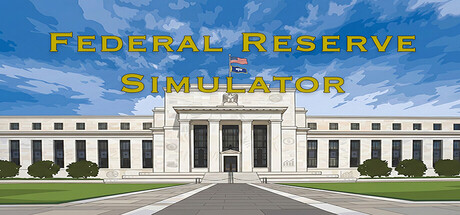

Federal Reserve Simulator Brings High-Stakes Monetary Policy to macOS
Federal Reserve Simulator is a strategy-simulation game built around a premise that’s rarely explored in games: you’re not running a country, a city, or a company—you’re running the institution that tries to keep the entire economic engine from stalling or overheating. As Fed Chair, your job is to balance the dual mandate of maximum employment and price stability, even when events (and politicians) make that balance feel impossible.
Rather than treating economics as a background flavor system, Federal Reserve Simulator makes it the core of every decision. You’ll set interest rates, manage the balance sheet, and attempt to guide expectations—while watching markets and macro indicators react to your moves.
Core Gameplay: Master the Levers of Monetary Policy
The heart of Federal Reserve Simulator is policy trade-offs under uncertainty. Every quarter presents new data, new risks, and new incentives to either stay the course or pivot quickly.
- Interest rate decisions: Tighten too fast and you can choke growth into recession; ease too slowly and inflation can entrench itself.
- Balance sheet management: Expand or contract the Fed’s footprint and deal with the downstream effects on liquidity and confidence.
- Unconventional tools: Use methods like quantitative easing and forward guidance when standard levers aren’t enough.
- Credibility and expectations: The game emphasizes that policy isn’t just math—it’s also messaging. Markets don’t only respond to what you do, but what they think you’ll do next.
The best runs aren’t about “winning” a single quarter—they’re about maintaining stability over time while avoiding catastrophic knock-on effects.
Historical Scenarios: Relive Defining Economic Moments
One of the most compelling hooks is the game’s scenario-driven structure, placing you into major periods of modern U.S. economic history. You’ll play through crises (and political climates) associated with well-known Fed Chairs:
- Paul Volcker: Take on runaway inflation in the 1980s—where the cure can be as painful as the disease.
- Alan Greenspan: Navigate market exuberance, the dot-com bubble era, and the post-9/11 economy.
- Ben Bernanke: Face the 2008 financial crisis and attempt to prevent systemic collapse under extreme uncertainty.
- Janet Yellen: Manage recovery dynamics and the delicate process of normalizing policy.
- Jerome Powell: Handle pandemic-era shocks, rapid shifts in conditions, and heightened political scrutiny.
These scenarios give the game structure and context, turning abstract indicators into narrative pressure: you’re not just moving sliders—you’re making calls that can reshape livelihoods, markets, and the perceived independence of the institution.
Pressure Systems: Politics, Markets, and the Human Cost
Federal Reserve Simulator leans into the idea that central banking is never performed in a vacuum. Even if your dashboard is clean and your model looks sound, the real fight is managing reactions:
- Market panics: Sudden shocks can force rapid decisions with incomplete information.
- Political pressure: Presidential statements, public perception, and the question of independence become part of the challenge.
- Congressional hearings: Your choices can be second-guessed in real time, adding friction to long-term planning.
- Bubbles and imbalances: Asset prices, housing dynamics, and credit conditions can become ticking bombs.
The game’s central tension is simple: every solution creates a new problem. Tight policy can restore price stability while breaking employment. Easy policy can protect jobs while risking inflation and credibility. If you’re looking for a simulation that makes you live inside those trade-offs, this is the pitch.
How It Feels on Mac: A Good Fit for Low-Storage Setups
On paper, Federal Reserve Simulator is lightweight by modern standards, with a small storage footprint and modest hardware requirements. That makes it an easy add for Mac players who prefer strategy and simulation titles that don’t demand a huge install or high-end GPU.
Mac System Requirements
Minimum
Minimum:- OS: macOS 10.15 (Catalina) or newer
- Processor: Intel Core i3 or Apple M1
- Memory: 4 GB RAM
- Graphics: Metal-capable Intel UHD / Apple M1
- Storage: 400 MB available space
- Sound Card: Any
- Additional Notes: Requires a 64-bit processor
Recommended
Recommended:- OS: macOS 13 (Ventura) or newer
- Processor: Intel Core i5 or Apple M2
- Memory: 8 GB RAM
- Graphics: Dedicated GPU or Apple M2
- Storage: 700 MB available space
- Sound Card: Any
- Additional Notes: Requires a 64-bit processor
Who Is Federal Reserve Simulator For?
This is a sim for players who enjoy reading systems, anticipating outcomes, and living with unintended consequences. If you like games that feel closer to policy management than action—think spreadsheets with real tension—Federal Reserve Simulator’s blend of history, crisis management, and economic cause-and-effect will likely click.
And if you’ve ever watched a rate decision headline and thought, “I could do better,” the game is ready to test that confidence—one quarter at a time.
Bottom Line
Federal Reserve Simulator turns modern economic history into a decision-making sandbox where every move can calm the waters or start the storm. With scenario-driven campaigns, a focus on credibility and markets, and lightweight Mac requirements, it’s an unusual but compelling addition to the Mac simulation lineup—especially for players who want strategy where the stakes feel uncomfortably real.





Comments
Sign in to join the conversation.
Log in to commentNo comments yet. Be the first to join the conversation.