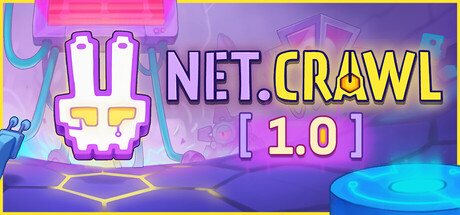

NET.CRAWL on Mac: deckbuilding, but your movement is the engine
NET.CRAWL is a deck-building puzzle roguelike played on a hexagonal grid, and it flips a familiar card-game loop into something more spatial and tactile. Instead of simply “playing” a hand, you move across a web of hex nodes—and stepping onto a node activates it, immediately triggering its effect. That simple rule turns pathing into your primary resource: every decision about where to go next is also a decision about what you’re effectively “casting,” what you’re collecting, and what risks you’re accepting.
The node ecosystem: resources, tools, and threats
NET.CRAWL’s boards are built from different node types, each contributing to the push-and-pull between building momentum and staying alive:
- Blue nodes grant Data, a key resource for growth and progression.
- Yellow nodes provide Credits, another cornerstone currency that fuels your build.
- Green nodes form your personal toolbox. These are the “build enablers,” with effects that can range from straightforward defense to more creative, rule-bending interactions that change how a run plays.
- Red nodes are hostile, designed to complicate routes, punish greedy lines, and force you to plan around danger rather than through it.
The result is a board that functions like a living deck: your route is your sequence, and the order you trigger nodes can be the difference between an elegant combo and a failed dive.
Purple nodes: the Cores that demand a tailored plan
Then come the purple nodes: The Cores. These act like mini-bosses with unique abilities or victory conditions, and they’re described as powerful enough to feel nearly game-breaking. In practice, that means you can’t rely on a single “good stuff” approach. You’ll need to draft and route with intent—building toward a strategy that answers a specific kind of problem rather than hoping raw efficiency carries you through.
If you enjoy roguelikes where bosses function as build checks (and where adapting your plan mid-run is part of the skill expression), the Cores sound like the centerpiece that gives NET.CRAWL its identity.
Drafted grids between levels: progression that changes the board itself
NET.CRAWL’s levels aren’t just static arenas. Nodes of all types are mixed to create runs with combo potential and synergies, and each level is dynamically assembled from two grids—a blue grid and a green grid—that you draft as part of between-level progression.
That’s a crucial twist for deckbuilder fans: you’re not only improving a “deck” of effects, you’re helping define the structure that those effects will appear in. Draft choices can influence how often you see certain tools, what resource lines are available, and how reliably you can set up the kinds of routes your strategy depends on.
Why it works on Mac: thoughtful, run-based strategy with puzzle texture
For Mac players who like the long-term mastery curve of roguelikes but want something more spatial than a traditional hand-management deckbuilder, NET.CRAWL’s design is immediately appealing:
- Every step matters: movement is both positioning and activation.
- Build expression comes from routing: strong play is about sequencing nodes, not just collecting them.
- Variety is systemic: dynamic level assembly and drafted grids encourage experimentation.
- Bosses ask for adaptation: Cores push you into specialized solutions.
Mac system requirements
Minimum:
- OS: OSX 10.14+
- Processor: 2.0 Ghz
- Memory: 2 GB RAM
- Graphics: 1Gb Video Memory
- Storage: 1 GB available space
What to expect if you jump in
NET.CRAWL reads like a game built for players who enjoy planning two turns ahead, discovering interactions, and optimizing lines under pressure. If you like deckbuilders for their synergies and roguelikes for their adaptation, the hex-grid “activation by movement” hook gives you a fresh layer to learn—one where the cleanest combo is often the cleanest route.




Comments
Sign in to join the conversation.
Log in to commentNo comments yet. Be the first to join the conversation.