
Overview
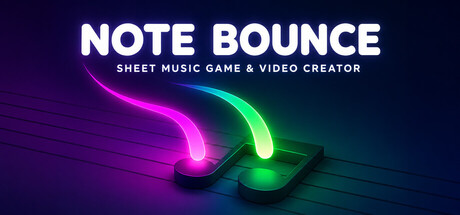
Note Bounce – Sheet Music Game & Video Creator is a rhythm game for Mac that leans into something most music games avoid: actual sheet music. Instead of chasing abstract note highways, you guide bouncing balls so they tap the correct notes on a staff at the perfect moment. The result is part timing challenge, part ear training, and part gentle introduction to reading notation—wrapped in relaxing piano and orchestral vibes.
How It Plays
The core loop is simple and satisfying: notes appear on sheet music, balls bounce in time, and you tap to land hits precisely when the rhythm demands. As you progress, the game asks you to recognize placement on the staff and match timing—helping you build a practical relationship between what you see (notation) and what you hear (pitch and rhythm).
Difficulty scales through faster passages and more complex patterns, and the game can also challenge you with multiple-ball gameplay, turning straightforward timing into coordination and focus training.
Learning Without the Lecture
Note Bounce is designed for beginners and music lovers, but it doesn’t feel like homework. Because the staff is always present, you gradually pick up note reading through repetition and immediate feedback. If you already play an instrument, the sheet-based approach can feel more grounded than typical arcade rhythm games—especially for players who want timing practice that maps cleanly to real music concepts.
Level Editor, MIDI Import, and Making Your Own Songs
The standout feature set is how much creative control it gives you:
- Level editor: Build custom charts and design how your song plays.
- MIDI import: Bring in MIDI files to turn existing melodies into playable levels.
- Shareable creations: Make something fun (or challenging) and pass it around to friends or the wider community.
This makes Note Bounce appealing not only as a game, but also as a lightweight tool for experimenting with arrangements and creating playable exercises.
4K Video Rendering: Gameplay as Content
Note Bounce also doubles as a video creator. You can render your levels and performances at up to 4K Ultra quality, which is great if you like posting music visualizations, sharing your custom charts, or showcasing satisfying perfect-timing runs on social media.
Sound and Vibe
The overall tone is calming rather than frantic. Between the relaxing piano and orchestral songs and the clean sheet-music presentation, it’s a rhythm game you can enjoy in shorter casual sessions—or settle into for longer practice-like play.
Offline Play
Good news for commuters, travelers, and distraction-free practice: offline play is supported, so you don’t need an internet connection to keep bouncing through songs.
Who It’s For
- New musicians who want a fun way to get comfortable with reading notes and keeping time.
- Rhythm game fans looking for something more musical and notation-driven.
- Creators who want to import MIDI, build levels, and render crisp videos for sharing.
- Players who want a chill vibe instead of a high-pressure score attack.
Mac System Requirements
Minimum
- OS: macOS 12.0 or later
- Processor: Apple silicon or Intel Core i5
- Memory: 4096 MB RAM
- Graphics: Metal-capable GPU
- Storage: 2048 MB available space
Recommended
Not specified.
Final Thoughts
Note Bounce stands out by making sheet music the star of the show. It’s accessible enough for newcomers, musical enough for experienced players, and creative enough to keep you experimenting—especially with MIDI import, a level editor, and built-in 4K video rendering. If you’ve ever wanted a rhythm game that nudges you toward real music literacy while staying relaxing and playful, this is an easy one to put on your Mac playlist.




Comments
Sign in to join the conversation.
Log in to commentNo comments yet. Be the first to join the conversation.