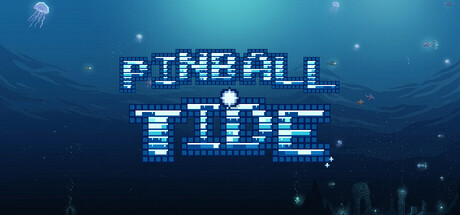

Pinball Tide on Mac: Pinball, but your flippers are weapons
Pinball Tide takes the familiar rhythm of pinball—timing, control, and chaotic ball physics—and bolts on a roguelike layer where your gear choices matter as much as your reactions. The core hook is immediate and satisfying: hitting the ball with a flipper fires missiles from that flipper. Better contact means better output, so good fundamentals aren’t just about keeping the ball alive; they directly translate into damage, scoring, and momentum.
Combat pinball fundamentals: accuracy turns into firepower
The game rewards intentional play rather than pure flailing. Striking with the tip of the flipper isn’t merely a cleaner shot—it grants points and launches more powerful missiles. That design subtly trains you to aim your returns, manage ball angles, and develop repeatable shots. On Mac, where many players use a keyboard or controller, the feedback loop feels less like “pinball with random power-ups” and more like a skill-based arcade system that happens to be wrapped in a roguelike progression format.
Hazards, debuffs, and bosses that mess with your control
Pinball tables are already hostile places, but Pinball Tide escalates the threat with enemies and special bumpers designed to disrupt your input and your plan. Black bumpers and bosses introduce effects that can dramatically change how a run plays moment to moment, including:
- Flipper paralysis (brief windows where you lose responsiveness)
- Inverted controls (forcing you to re-map your instincts in real time)
- Ink attacks (visual or functional interference that raises the execution bar)
These mechanics push the game into “run management” territory: sometimes the best choice is to build for resilience and consistency rather than raw damage. If you enjoy roguelikes where the game actively tries to break your preferred strategy, Pinball Tide leans into that philosophy.
Draft, draw, and merge: balls and flippers as your build
The most roguelike part of Pinball Tide is how it lets you customize your kit mid-run. Instead of only relying on table layout and reflexes, you draw balls and draw flippers—then decide what to keep, what to combine, and what to evolve.
Merging balls
You can draw balls and merge the ones you want, and merging can discover new balls. In practice, that means your “ball roster” becomes a progression system: you’re not just juggling physics, you’re choosing what kind of ball ecosystem you want in your run—whether that’s leaning into synergy, reliability, or riskier options that pay off when piloted well.
Merging flippers
The same idea applies to your primary tools. You can draw flippers and merge them, and merging can discover new flippers. Since flippers are the trigger for missile firing, changing flippers changes your offensive identity. This adds a deckbuilder-like flavor: you’re effectively shaping your “move set” rather than simply gaining passive stat boosts.
Table goals and special encounters: chase the rainbow fish
Pinball Tide also gives you a more “objective-driven” layer than traditional score-chasing tables. One standout is the instruction to color all the walls to encounter the lucky rainbow fish. It’s a simple-sounding condition that can meaningfully alter how you play a table—encouraging deliberate routing and shot selection instead of defaulting to safest returns.
Supporters, relics, and build crafting
Beyond balls and flippers, you can purchase various supporters and relics to help your run. This is where the game’s long-term replayability tends to live: the more combinations you explore, the more the game becomes about assembling a coherent plan under pressure. The best runs typically come from pairing the right balls + flippers + relics into a build that either:
- maximizes missile output through consistent tip hits and controllable angles,
- stabilizes the chaos when bosses impose harsh debuffs, or
- leans into high-variance strategies that pop off when the table cooperates.
Mac performance and platform notes
Pinball Tide’s Mac version targets Apple Silicon (M1 or later) and macOS 12.0+. That’s good news for modern Mac gamers: the listed requirements are modest, and the storage footprint is small, making it an easy addition to a portable library.
Mac system requirements
Minimum
- Requires an Apple processor
- OS: macOS 12.0
- Processor: Apple Silicon (M1 or later)
- Memory: 2048 MB RAM
- Graphics: Metal-capable integrated GPU
- Storage: 400 MB available space
- Sound Card: CoreAudio-compatible sound device
Recommended
- Requires an Apple processor
Who should play Pinball Tide?
- If you like pinball but want a deeper progression layer than high-score chasing, the merge-and-build structure adds a lot of replay value.
- If you enjoy roguelikes that demand adaptation—especially under disruptive status effects—the boss and black bumper abilities keep runs tense.
- If you’re on an M1/M2/M3 Mac and want something lightweight that still feels mechanically rich, the requirements are refreshingly reasonable.
Bottom line: Pinball Tide is at its best when you’re threading skill shots, earning stronger missile bursts from clean tip hits, and shaping a run through ball/flipper merges and relic support—then trying to keep it all together when the game starts messing with your controls.



Comments
Sign in to join the conversation.
Log in to commentNo comments yet. Be the first to join the conversation.