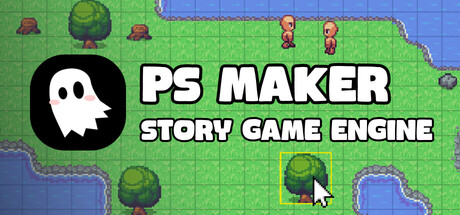

What is PS Maker?
PS Maker is a creation tool for building 2D top-down, story-driven games without needing to write code. The goal is simple: keep you focused on the parts that define narrative games—writing, characters, music, pacing, and worldbuilding—while the editor handles the structure needed to turn those ideas into a playable project.
For Mac creators in particular, PS Maker’s appeal is how quickly it lets you move from a concept to something you can test: build a map, drop in NPCs, write dialogue, add choices, and wire it together using an action-based event system rather than scripts.
Build Your World: 2D Top-Down Map Editor
At the heart of PS Maker is its 2D top-down map editor, designed for laying out towns, interiors, dungeons, and narrative set pieces. It supports common quality-of-life features you’d expect from a modern editor, with an emphasis on quickly composing spaces that look right and play right.
- Map objects with top-down depth sorting to help scenes read naturally as characters move around objects.
- Tilesets and autotiling support for faster environment creation and cleaner transitions.
- Map layers for tiles so you can separate ground, decor, and overlays.
- Overlay collisions to define where players can and can’t walk without reinventing your maps.
- Undo/Redo support, because iteration is the whole process.
If your goal is to prototype a narrative game quickly, this tooling matters: you can block out a scene, test the pacing, then come back to polish visuals and collisions once the moment lands.
Bring Your Story to Life: Events, Cutscenes, and Game Logic Without Code
PS Maker’s standout feature is its no-code event system built around actions. Instead of writing scripts, you assemble behaviors and triggers—ideal for creators who want to control narrative flow, character movement, and scene transitions without learning an engine’s programming model first.
- No-code event system driven by actions.
- Create and control NPC behavior, trigger cutscenes, and build basic mechanics.
- Player interaction and touch trigger systems for activating events.
- Conditional branching using player choices and game variables.
- Support for multiple endings, which is essential for replayable story games.
This is where PS Maker fits a specific niche: if your design revolves around dialogue scenes, exploration, story flags, and consequence-driven choices, the workflow is shaped around those needs.
Dialogue Tools Built for Narrative Games
Narrative projects live and die by presentation, so PS Maker includes a built-in dialogue editor rather than treating text as an afterthought.
- Names, portraits, and dialogue voice sounds for character-forward scenes.
- A customizable UI so your dialogue presentation can match the tone of your game.
For writers and small teams, having these pieces integrated can dramatically reduce setup time and keep the focus on iteration: write, test, adjust, repeat.
Import Assets, Extend with Plugins, and Start Fast
PS Maker supports importing your own content, which is crucial if you’re aiming for a distinctive look or a specific audio identity.
- Import custom assets: art, music, and sounds.
- Create animations, NPCs, tilesets/autotiles, and map objects.
- Free starter assets to get a prototype playable quickly.
- A plugin system that allows you to extend your game with code if you eventually want deeper customization.
That combination—no-code by default, but extendable when needed—makes PS Maker a practical long-term tool rather than something you outgrow the moment your design expands.
Sharing and Iteration: Get Builds to Friends Quickly
Once your project is in a playable state, PS Maker emphasizes quick sharing so you can get feedback early. For story-driven games, this is especially valuable: pacing, clarity, and emotional beats are hard to judge alone, and rapid playtesting often reveals where your narrative needs tighter staging or clearer choices.
Quality-of-Life Features for Mac Users
- Interactive tutorial project to learn by editing a working example.
- Dark and light themes for long editing sessions.
- Auto-updates with new features and ongoing bug fixes.
Mac System Requirements
Minimum
Minimum:
- OS: macOS 12 Monterey
- Processor: Intel Core i5 or Apple M1
- Memory: 4 GB RAM
- Graphics: Metal-compatible GPU
- Storage: 500 MB available space
Recommended
Recommended:
- OS: macOS 13 Ventura or later
- Processor: Apple Silicon M3 or quad-core Intel
- Memory: 8 GB RAM
- Graphics: Apple Silicon GPU or dedicated/integrated Metal-compatible GPU
- Storage: 2 GB available space
Who is PS Maker for?
PS Maker makes the most sense for:
- Writers and narrative designers who want to build playable stories without coding.
- Indie devs prototyping top-down adventures, mysteries, or character-driven RPG-like experiences.
- Small teams that need an editor-driven workflow for maps, dialogue, and branching outcomes.
- Creators who may eventually want code, but prefer starting no-code and expanding via plugins.
If your dream project is a story-first, top-down 2D game with dialogue, choices, variables, and multiple endings, PS Maker’s feature set is aimed squarely at that lane—especially on Mac, where a smooth, focused toolchain can be the difference between a concept and a finished release.



Comments
Sign in to join the conversation.
Log in to commentNo comments yet. Be the first to join the conversation.