
Apple doubles down on Creator Studio: faster handoffs, more AI, tighter app-to-app workflows
Apple has announced a set of updates for Apple Creator Studio, its bundle of pro-focused creative apps spanning Mac, iPad, and iPhone. The headline here isn’t a new game or a new graphics API — it’s Apple continuing to push a connected, on-device AI workflow story that’s increasingly central to how Apple Silicon machines are positioned for performance work.
For Mac readers (and especially anyone building, shipping, or marketing games on macOS), this is ecosystem news: the same hardware acceleration, media engines, and machine learning pipelines that make creative apps faster are also the foundation developers rely on for production pipelines, capture, trailers, community content, and cross-platform asset workflows.
Source: Apple Newsroom (June 30, 2026).
Final Cut Pro: on-device AI features that target real workflow pain
Apple’s announcement calls out new AI-powered tools landing in Final Cut Pro on Mac and iPad, notably Generate Captions and Edit Detection.
Generate Captions is positioned as a highly requested feature: it automatically transcribes audio and places subtitles directly on the timeline. Apple says editors can customize font, color, position, and animation. For anyone in the Mac gaming orbit — studios, indie devs, publishers, streamers, community teams — captions are less a “nice to have” than a platform requirement for accessibility and social distribution. Automating the grunt work (while keeping creative control) is exactly the kind of quality-of-life improvement that reduces turnaround time on trailers, patch explainers, and short-form clips.
Edit Detection targets a different but equally common problem: taking a rendered video and reconstructing edit points so it can be split back into clips on a timeline. Apple says it can analyze a finished export and break it back into the original segments for refinement or for quickly producing highlight cut-downs — the kind of thing you’d do when turning a long gameplay session into a punchy sizzle for social.
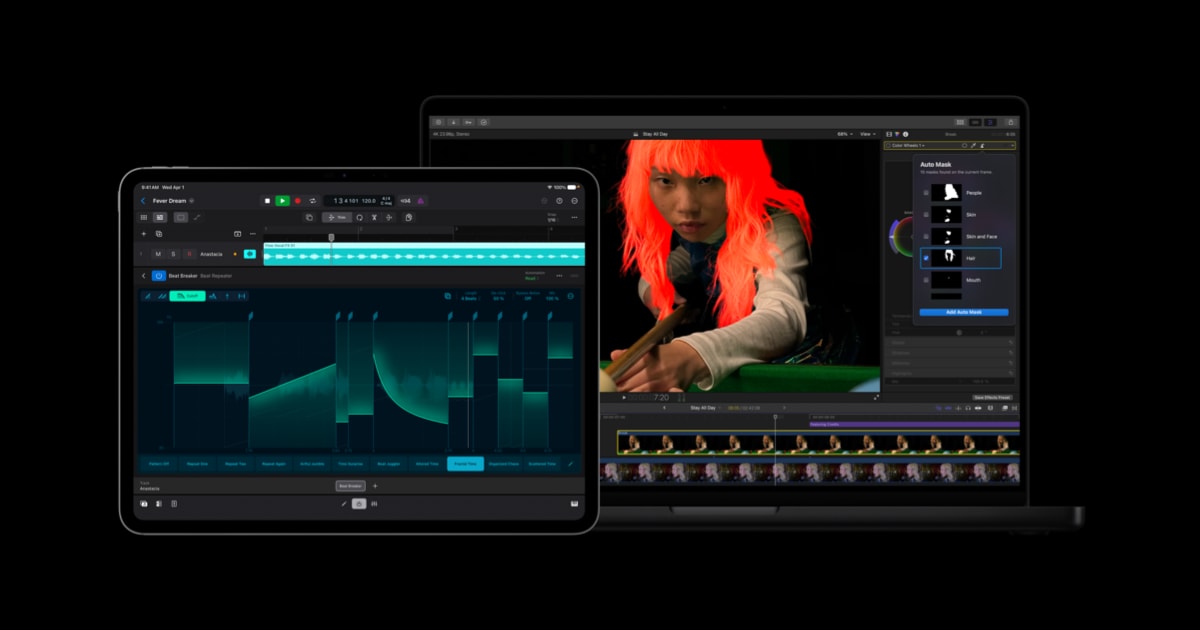
Apple also lists additional Mac-side improvements including Auto Mask, an enhanced Match Color, Advanced Trimming, and the ability to send frames to Pixelmator Pro. None of that is “gaming” in the strict sense, but it’s very much adjacent to the modern reality of game launches: the content pipeline is part of the product.
Pixelmator Pro integrations: the quiet productivity win
Apple says Creator Studio updates bring tighter integrations with Pixelmator Pro across Final Cut Pro, Keynote, Pages, and Numbers. The practical takeaway is less time bouncing between apps and fewer export/import friction points: users can open and customize images placed in Keynote/Pages/Numbers, and send a key frame from Final Cut Pro directly into Pixelmator Pro.
For developers and small teams, that’s meaningful because the “business side” and the “creative side” of shipping on macOS often live in the same toolchain: store assets, pitch decks, patch notes, performance reports, and marketing beats. Apple is clearly trying to make the Mac feel like one contiguous production surface — not a pile of disconnected apps.
Logic Pro updates: more guided creation and smarter identification tools
Apple also highlights Logic Pro updates, including improvements to Chord ID and a new Producer Project created with a Grammy Award-winning producer. While the announcement is music-centric, the relevance for the broader platform audience is straightforward: Apple keeps investing in pro-grade creative software as a “reason to buy the hardware,” and Apple Silicon’s performance story benefits from high-visibility flagship apps that routinely stress audio, video, and ML pipelines.
What this signals for Mac (even if you only care about games)
No, this isn’t Apple announcing new AAA ports, a new Metal feature set, or a macOS gaming initiative. But it is Apple reinforcing a strategy that affects the Mac gaming ecosystem indirectly: pushing on-device AI, deepening first-party + acquired-app integrations, and strengthening a cross-device workflow narrative across Mac and iPad.
If you’re a Mac game developer or publisher, the implication is that Apple is still betting that “pro workflows” and “performance workflows” are key pillars for Apple Silicon — and that includes the tooling and media production that surrounds games. These kinds of improvements won’t move FPS counters, but they can move timelines, launch readiness, and the day-to-day efficiency of small teams.
Read the original announcement
Apple’s full details are available on the Newsroom post: Apple Creator Studio gets smarter, faster, and more connected.





Comments
Sign in to join the conversation.
Log in to commentNo comments yet. Be the first to join the conversation.