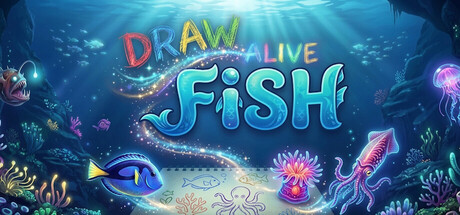

Draw Alive: Fish on Mac: a sketchbook aquarium you can actually watch
Draw Alive: Fish is built around a simple bit of magic: you draw a creature on paper, photograph it with your phone, import the image, and—within moments—your doodle is swimming around a foggy, caustic-lit 3D aquarium. It’s less “paint program” and more “scan-to-life” toy, designed for low-stress tinkering and watching your tank evolve.
From paper to tank: how importing works
The core loop is quick and friendly. You can sketch almost anything sea-themed, take a photo, then bring it into the game as a creature. A built-in classifier tries to identify what you drew and displays its confidence; if it guesses wrong, you can manually correct the type. If you’d rather create art digitally, transparent PNG cutouts work too, making it easy to prepare clean imports on Mac (or any art app) before dropping them into the aquarium.
Nine creature categories (with fish variety)
Draw Alive: Fish supports nine kinds of sea life that can be brought to life in your tank:
- Fish (with multiple subtypes, ranging from clownfish up to sharks)
- Sea turtles
- Jellyfish
- Crabs
- Seahorses
- Squid
- Octopuses
- Manta rays
- Whale sharks
Movement is matched to the creature category, so a jellyfish drifts differently than a crab or a ray. That animation feedback is where the charm really lands: you’re not just placing stickers—you’re watching your own shapes behave like living inhabitants.
Build Mode vs Play Mode: decorate, then let it breathe
The game is split between two modes you can switch between at any time:
- Build Mode: Import creatures, arrange coral reefs and environments, and decorate your tank. It’s the “hands-on” side where you shape the scene.
- Play Mode: Editing tools disappear and your aquarium becomes a living exhibit. This mode is for viewing, relaxing, and appreciating the results.
Play Mode also leans into presentation with multiple cinematic camera options, including a free-orbit view, a glass-front aquarium view, a diver’s perspective, and a self-directed showcase camera that tours the tank on its own. When you get a shot you like, you can press a key to capture a clean screenshot.
A tank that stays alive on its own
Even if you import only a few creations, your aquarium won’t sit empty. Draw Alive: Fish includes a living ecosystem that seeds balanced populations of marine life that swim, school, and surface organically. There are also occasional dynamic events—like jellyfish blooms or manta fly-bys—that add variety without turning the game into a management sim.
No monetization hooks, no social pressure
This is a single-player sandbox: no accounts, no economy, and no multiplayer. The focus is entirely on creation and atmosphere—draw something, bring it into your tank, tweak the scene, and then just watch the water fill with motion and light.
Mac performance and input notes
Because the process involves photographing drawings and importing images, Draw Alive: Fish is especially Mac-friendly if you like working between devices: sketch on paper, snap with your phone, then curate your best creatures as PNGs for clean results.
Input-wise, a mouse or trackpad is recommended for building and camera control, which fits the game’s emphasis on placement and viewing angles.
Mac system requirements
Minimum
- OS: macOS 11
- Memory: 2048 MB RAM
- Graphics: Graphics card with OpenGL 3.2 / Vulkan 1.0 support
- Storage: 500 MB available space
- Sound Card: DirectX compatible sound card
- Additional Notes: Mouse or trackpad recommended
Recommended
- Not specified
Who it’s for
- Players who want a relaxing, creative sandbox rather than objectives and upgrades
- Anyone who enjoys drawing, doodling, or crafting quick characters
- Mac users looking for a calm “digital aquarium” they can personalize and screenshot
Bottom line
Draw Alive: Fish succeeds by keeping the promise in its name: you draw, it comes alive. With easy importing, multiple creature types, a simple build/play split, and a self-sustaining ecosystem, it’s a soothing Mac sandbox that rewards creativity—whether your art is elaborate or gloriously scribbly.




Comments
Sign in to join the conversation.
Log in to commentNo comments yet. Be the first to join the conversation.