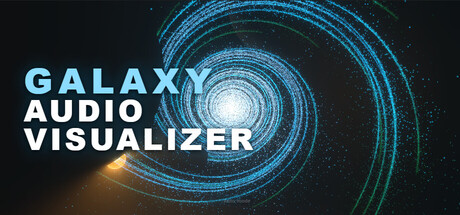

Galaxy Audio Visualizer isn’t interested in being another “bars and waves” music visualizer. Instead, it aims to make your entire soundtrack feel like it’s happening inside a dynamic cosmic scene—an audio-reactive galaxy that shifts, drifts, and surges as your music changes.
A Music Visualizer Like No Other
Where many visualizers rely on familiar equalizer columns, oscilloscopes, or abstract shaders, Galaxy Audio Visualizer puts your audio inside a spectacular galaxy. The goal is immersion: you’re not watching a graph of your music—you’re watching a universe respond to it.
Every Song Creates a Different Experience
One of the most compelling promises here is variety. Different tracks don’t simply “drive” the same effect faster or slower; they can reshape the feel of the whole scene:
- Calmer passages drift through space with a more restrained, floating motion.
- Powerful bass adds weight and movement, giving the galaxy presence and punch.
- Mids and highs fill the scene with texture and detail, helping busy songs feel visually dense and alive.
To keep things consistent across genres and mixes, the visualizer uses automatic calibration that continuously adapts to what you’re playing—so a quiet ambient track and a brick-walled electronic track can both look “right” without you constantly chasing sliders.
A Galaxy That Is Truly Yours
Customization is the core of the experience. Galaxy Audio Visualizer lets you tweak far more than just color themes, aiming to give Mac users the ability to build a look that matches their setup, room, stream overlay, or personal taste.
Expect customization across:
- The galaxy itself (overall character and presentation)
- Audio reaction modes (different interpretations of your music)
- Camera behavior (how you move through and observe the scene)
- Lighting (mood, contrast, and readability)
- Colors (from subtle palettes to bold, high-energy looks)
- Sensitivity (how strongly the visuals respond to your audio)
- Surrounding space objects (extra atmosphere and depth)
Auto Mode vs Manual Mode
The visualizer supports two approaches depending on how hands-on you want to be:
- Auto Mode: Intelligently adapts to your music while still letting you customize the overall aesthetic and behavior. Great for “set it and enjoy it.”
- Manual Mode: Full control for users who want to fine-tune every parameter and lock in a specific look.
This Is Just the Beginning
Galaxy Audio Visualizer is positioned as an evolving project, with plans to expand the experience over time. The roadmap emphasis is on more features, more scenes, more customization, and additional ways to visualize music within this galaxy concept.
Community feedback is intended to play a major role after release, helping shape which additions matter most—whether that’s new modes, deeper customization, or entirely new scene concepts.
Mac System Requirements
Minimum
- OS: macOS 14.2 or later
- Processor: Intel Core i5 or Apple M1
- Memory: 8 GB RAM
- Graphics: Intel Iris Plus, Apple M1, or equivalent
- Storage: 1 GB available space
Recommended
- OS: macOS 14.2 or later
- Processor: Apple M1 or newer
- Memory: 16 GB RAM
- Graphics: Apple M1 or newer
- Storage: 1 GB available space
Who Is It For?
Galaxy Audio Visualizer is a strong fit for anyone who uses their Mac as a music hub and wants something more cinematic than standard spectrum displays. It’s also a natural match for:
- People who like to leave a visualizer running on a second display
- Creators looking for music-reactive visuals with a distinct identity
- Users who care about tuning the vibe—from calm and ambient to intense and bass-driven
Bottom Line
Galaxy Audio Visualizer is built around a simple idea: your music deserves a scene with scale. If you want a Mac visualizer that feels less like an audio tool and more like a reactive world—complete with deep customization and adaptive behavior—this galaxy is worth keeping on your radar.





Comments
Sign in to join the conversation.
Log in to commentNo comments yet. Be the first to join the conversation.