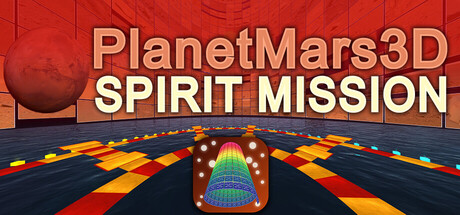

PlanetMars3D: Spirit Mission is less a traditional game and more a game-like way to be inside one of NASA’s most iconic photo archives. Instead of paging through a flat gallery, it turns real Spirit rover Pancam photography into a navigable 3D environment you can explore, fly through, or watch as an automated tour.
Between 2004 and 2010, the Mars Exploration Rover Spirit (MER-A) returned tens of thousands of images from Gusev Crater and the Columbia Hills. PlanetMars3D: Spirit Mission takes a hand-picked, organized slice of that public archive and presents it as ready-made 3D albums—so Mars feels like a place you move through, not a set of thumbnails you click.
What it is
At its core, PlanetMars3D: Spirit Mission is a dedicated 3D viewer built around curated collections of Spirit’s Pancam imagery. The “game” part comes from how you interact with those images: movement, navigation, perspective changes, fly-to targeting, slideshow pacing, and hands-off flythrough modes.
Curated Pancam albums (7,700+ photos)
The app ships with pre-built albums drawn from Spirit mission highlights and locations. You’re not building a library from scratch—you’re stepping into an already-organized tour of the mission’s visual record.
- Panoramas & Mosaics
- True Color
- False Color
- All Types
- 3D Anaglyphs
- Anaglyphs-Mosaics
- Anaglyphs-Panoramas
- Panoramas & Mosaics + Anaglyphs
- Mosaics + Anaglyphs
- Panoramas + Anaglyphs
- All Types + Anaglyphs
How it feels to use on Mac
PlanetMars3D: Spirit Mission is designed around a simple idea: you should be able to see everything quickly, then pull detail only when you need it. From a distance, the albums display as low-resolution previews so you can take in the scope of the collection. As you move closer to a specific image, it resolves into full detail right when you arrive.
Progressive detail loading
- Thousands of images remain lightweight as previews while you navigate.
- Full-resolution versions resolve when you approach, reducing the “click-wait-click” rhythm of typical photo viewers.
- Higher-res content loads from disk in the background so motion and camera control remain responsive.
Jump anywhere, instantly
If you spot an image you want to inspect, you can point to it and fly to it in seconds—whether it’s from Spirit’s early sols or years into the mission. The emphasis is on fluid movement through the archive rather than careful folder browsing.
Multiple layouts and viewing modes
To keep the experience from feeling like a single static museum, PlanetMars3D includes multiple spatial arrangements for viewing the same imagery from different perspectives. You can also choose how active you want to be:
- Manual mode for direct control and free exploration
- Slideshow for a paced, guided feel
- Flythrough for an automated tour you can watch hands-free
Display and comfort options
On macOS, the app includes options to tune the experience to your setup, including UI scaling and quality/transition settings—useful if you’re running on a smaller screen, a high-resolution display, or a system closer to minimum specs.
What this is not
This is a dedicated Spirit rover viewer, not a general-purpose 3D photo tool. You cannot create or edit projects, import your own photography, or change the curated album set inside PlanetMars3D: Spirit Mission. If you want a similar 3D-photo concept for personal libraries, the developer points to Album3D.
Powered by Universe3D
PlanetMars3D: Spirit Mission is built on Universe3D, the tech behind these game-like photo experiences. Universe3D’s big trick is that it treats large photo collections like navigable spaces: you can survey an album at a distance, then approach individual frames for full detail—without breaking flow.
About Spirit (and image credit)
Spirit (MER-A) landed in Gusev Crater in January 2004 and famously outlived its planned 90-sol mission by operating for more than six years. This app is an independent, unaffiliated viewer. Imagery credit belongs to NASA/JPL-Caltech/Cornell/ASU.
If you’ve ever wanted to experience a planetary mission as an explorable environment—part archive, part interactive exhibit—PlanetMars3D: Spirit Mission is a uniquely Mac-friendly way to revisit Spirit’s journey: launch the app, pick an album, and explore Mars through the rover’s eyes.
Mac system requirements
Minimum
- OS: 11.0.0
- Processor: Apple Silicon (M1 or later), Intel Core i5 (quad-core)
- Memory: 8 GB RAM
- Graphics: M1, M2, M3, M4, M5, Intel Iris Plus 640 / 650, AMD Radeon Pro 560 (or equivalent)
- Storage: 19 GB available space
- Additional notes: Minimum requirements depend on resolution and the number of imported images and thumbnails.
Recommended
- Not specified.
Photo credit: D. Savransky and J. Bell / JPL / NASA / Cornell / ASU


Comments
Sign in to join the conversation.
Log in to commentNo comments yet. Be the first to join the conversation.